 Outstation Delivery
Already Going There?
Make the Trip Count.
Publish your planned long-distance route on RideApack and connect with customers who need packages delivered along your journey.
Set your destination, departure schedule, vehicle, and available capacity. RideApack helps match your route with compatible shipment requests.
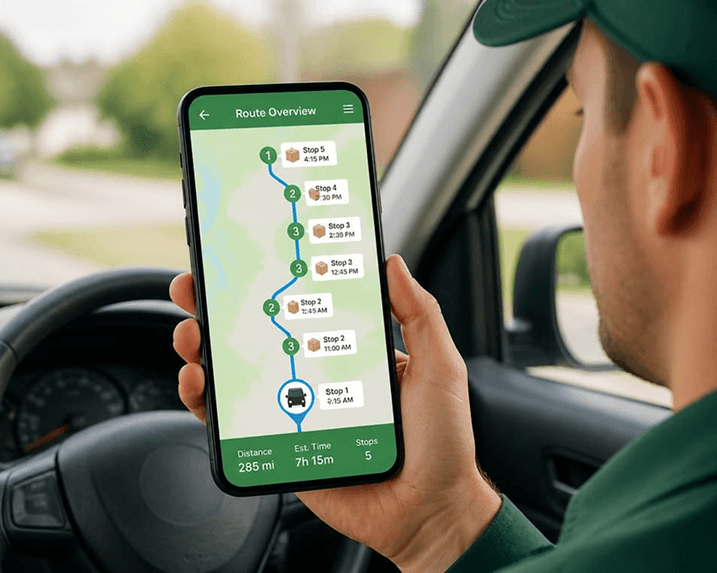
Your Route. Your Vehicle.
Your Availability.
Outstation Delivery works differently from regular on-demand deliveries. Instead of waiting for nearby delivery requests, you tell RideApack where you're going.
Publish your planned route in the Driver app, and RideApack can show it to customers whose pickup and delivery requirements match your journey.
This route-based model is specifically designed for planned long-distance travel rather than real-time nearby-driver dispatch.
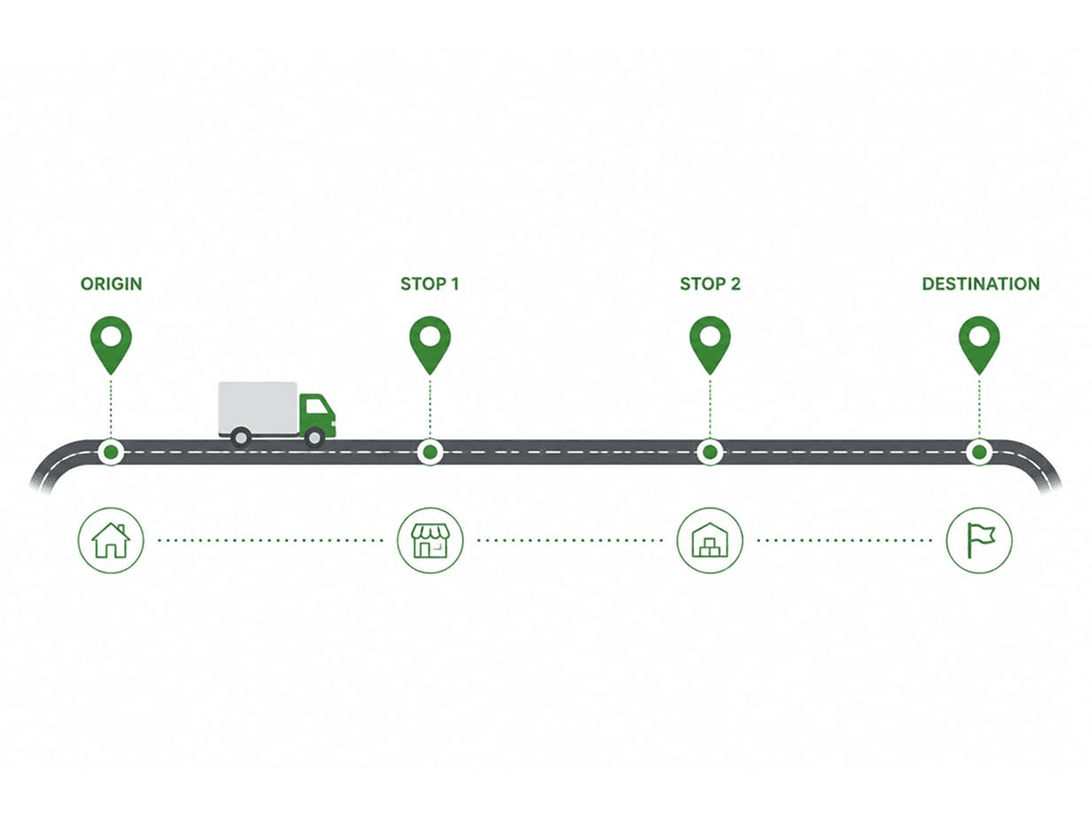
STEP BY STEP
How Outstation Delivery Works
Plan Your Trip
Already know where you're heading? Open the RideApack Driver app and start creating your travel route.
Publish Your Route
Add origin, destination, intermediate stops, departure date & time, and estimated arrival.
Publish Your Route — Details
Origin City
Where your journey starts.
Destination City
Where you're heading.
Intermediate Stops
Cities or stops along the way.
Departure Date & Time
When you're planning to leave.
Estimated Arrival
Expected arrival time at destination.
Select Your Vehicle
Choose the vehicle you'll use. Vehicle info helps RideApack match suitable shipments.
Set Available Capacity
Tell RideApack how much space is available. Capacity updates automatically as bookings are confirmed.
Choose What You Can Carry
Indicate the types of shipments you're prepared to transport.
Choose only the types of items you're comfortable and equipped to transport.
Publish and Get Discovered
Once Your Route Is Live,
RideApack Does the Matching.
RideApack compares customer shipment requirements with available driver routes. Routes can be evaluated based on these factors:
Pickup Location
Is the customer's pickup within your route radius?
Destination
Does the shipment destination fall on or near your journey?
Vehicle
Is your vehicle suitable for the shipment size?
Capacity
Do you have enough remaining space and weight?
Schedule
Does the pickup window match your departure schedule?
Customers Find Your Route
No Need to Search for Shipments One by One.
When a customer's shipment matches your published route, your route can appear among their available options.
Customer Searches
Dallas → San Antonio
RideApack Finds Matching Routes
Compatible routes evaluated
Customer Selects Your Route
Relevant info shown
You Receive a Booking Request
Review and respond
You're Still In Control
Review Before You Accept.
A customer's selection doesn't automatically confirm the shipment. A booking request is sent to you first. The shipment is confirmed only after you accept.
Capacity Management
One Route. Multiple
Opportunities.
Outstation Delivery is designed to let drivers carry multiple compatible shipments on the same route while capacity remains available.
Your remaining capacity is updated as bookings are confirmed. Once your available capacity reaches zero, your route is automatically marked Full.
Example Capacity Breakdown
Built Into The Driver App
Everything You Need for Your Next Route.
Manage your outstation routes, track capacity, and respond to booking requests — all from the RideApack Driver app.
Publish Travel
Create and publish an upcoming journey in minutes.
My Routes
See your active and upcoming routes at a glance.
Booking Requests
Review customer shipment requests with full details.
Route Details
Stops, schedule, vehicle, and journey info in one screen.
Capacity
Monitor remaining carrying capacity as bookings arrive.
Route Status
Track Active, Full, and Completed route states.
Local vs Outstation
Choose how you want to drive.
Local Delivery
For deliveries happening now.
Go online and receive eligible nearby delivery opportunities.
Outstation Delivery
For trips you're planning ahead.
Publish your journey and receive booking requests for compatible shipments.
The two fulfillment models remain separate in the proposed product architecture.
Why Publish an Outstation Route?
Make Better Use of Every Journey.
Make Better Use of Your Vehicle
Put available carrying capacity on an already-planned journey to use.
Plan Ahead
Publish your route and departure schedule before you travel.
Choose Your Bookings
Review booking requests before deciding whether to accept.
Multiple Shipments
Carry multiple compatible shipments while capacity remains.
Fewer Empty Trips
The route marketplace is designed to improve vehicle utilization.
Better Route Planning
Know your accepted bookings before beginning your journey.
Driver FAQ
 Your Next Journey Could Do More
Going Somewhere?
Publish Your Route.
Turn your planned journey into an opportunity with RideApack Outstation Delivery. Register as a driver, get verified, download the RideApack Driver app, and publish your route.
Already registered? Open the app and publish your next trip.